OpenAI is finally addressing a long-standing frustration for ChatGPT users regarding file handling. The company is introducing two significant updates: a “Recent files” menu and a dedicated “Library” tab, designed to streamline access to previously uploaded documents.
How do ChatGPT’s New File Management Features Work?
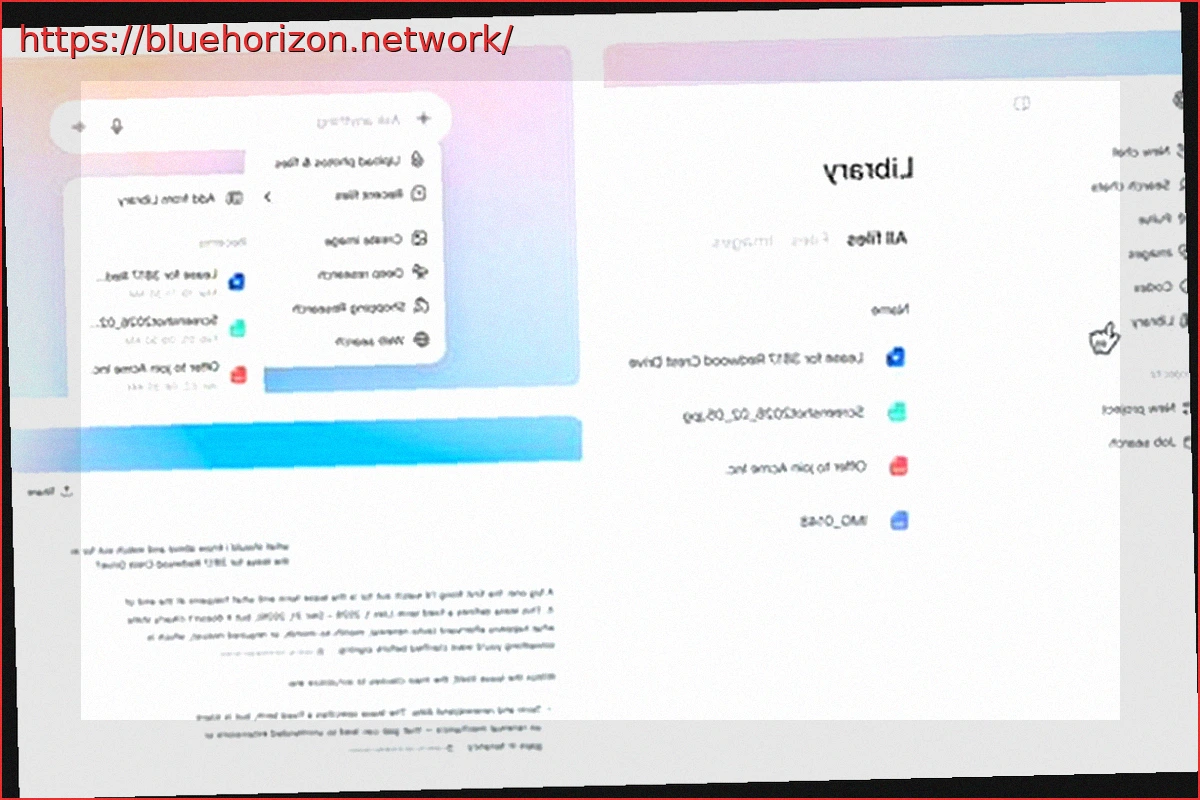
Historically, files within ChatGPT were primarily linked to individual conversations, often requiring users to scroll through lengthy chat histories to locate them. The new “Recent files” option, accessible via the attachment menu, now conveniently displays your most recently utilized files, enabling quicker resumption of tasks without extensive searching.
For web users, a new “Library” tab has been added to the sidebar. This central repository consolidates all uploaded and AI-generated files, offering an organized overview distinct from individual chat threads. From this hub, users can effortlessly browse, search, and attach files to new conversations.
A key improvement is ChatGPT’s ability to process inquiries about files already uploaded, eliminating the need for repeated uploads to gain further insights. Collectively, these enhancements significantly accelerate file reuse and reduce tedium, particularly for those who manage multiple files across various sessions.
Who’s Getting Access, and When?
This update is currently rolling out worldwide to ChatGPT Plus, Pro, and Business subscribers. Users in the EU, Switzerland, and the UK can anticipate availability in the near future. There has been no announcement regarding the potential inclusion of these features in the free tier.
With these strategic improvements, OpenAI continues to evolve ChatGPT beyond a basic chatbot, progressively transforming it into an integrated platform for ongoing task and information management.