Cómo los 8 GB de RAM del MacBook Neo Desafían a los 16 GB de RAM en Portátiles Windows
Aunque los 8 GB de memoria RAM del MacBook Neo suelen ser vistos como su principal desventaja, la pregunta crucial es: ¿son realmente insuficientes? Este dispositivo se comercializa como una opción asequible, ideal para tareas ligeras como la ofimática y el consumo multimedia. No obstante, como demostraremos, también es capaz de manejar ciertas aplicaciones profesionales, aunque con sus limitaciones inherentes.
Un análisis exhaustivo realizado por Hardware Canucks en un entorno de uso real revela hallazgos interesantes. Si bien Apple podría haber mejorado aspectos como la calidad de los altavoces, la ausencia de retroiluminación en el teclado o el empleo de un anticuado puerto USB-C USB2 (limitado a 480 Mb/s), en general, el equipo recibe pocas críticas.
Los 8 GB de RAM del MacBook Neo Bajo el Microscopio: Cara a Cara con un Portátil Windows 11 de 32 GB

La eficacia de los 8 GB de RAM unificada del MacBook Neo fue sometida a una prueba de estrés extrema: mantener 60 aplicaciones abiertas simultáneamente. La clave de su rendimiento reside en la optimización del sistema operativo. Sorprendentemente, el MacBook Neo gestionó la carga, incluso con reproducción de vídeo concurrente, sin fallos. En contraste, un portátil Lenovo Legion de gama alta, diseñado para gaming, sufrió un fallo crítico (pantallazo negro) al enfrentar el mismo desafío.
Apple evalúa la suficiencia de la memoria no solo por su capacidad nominal, sino a través de métricas como la "presión de memoria", el uso del archivo de intercambio (swap) y la memoria comprimida. Su documentación oficial subraya que el gráfico de presión de memoria es el indicador principal: el color verde indica un rendimiento óptimo, el amarillo sugiere una posible necesidad de más RAM, y el rojo señala una escasez crítica. Además, macOS está diseñado para utilizar toda la RAM disponible activamente, en lugar de mantenerla desocupada preventivamente.
The Verge también confirmó la destreza del MacBook Neo en cargas de trabajo ligeras, calificándolo de muy eficiente para la navegación, gestión de documentos y labores diarias. Sin embargo, al exigirlo con más de 60 pestañas de Chrome distribuidas en múltiples escritorios, reproducción de vídeo y múltiples aplicaciones en segundo plano, el rendimiento se degradó significativamente, particularmente al cambiar entre escritorios. Esta merma de rendimiento, atribuible a la limitación de la RAM, solo se manifiesta bajo un uso excepcionalmente intensivo o "anormal" del dispositivo.
Resultados de la Prueba: MacBook Neo Utilizó 7.24 GB de RAM vs. 27.1 GB del Lenovo
Estos hallazgos demuestran que, para un equipo de su categoría, 8 GB de RAM son lógicos y efectivos. Es importante destacar que macOS gestiona la memoria de manera diferente, lo que a menudo da la impresión de consumir menos RAM, pero esto no implica que 8 GB en un Mac sean universalmente equivalentes a 16 GB en cualquier sistema Windows. En última instancia, Windows tiende a utilizar más RAM al precargar elementos para optimizar el rendimiento de usuarios con cargas de trabajo más exigentes.
Sin embargo, al emplear aplicaciones de alta demanda, las limitaciones del MacBook Neo se hacen evidentes. En Photoshop, los usuarios pueden notar leves demoras al hacer zoom. En Lightroom, la aplicación de la reducción de ruido por foto puede tardar aproximadamente un minuto. Por otro lado, DaVinci Resolve Studio logró manejar archivos Sony 4K con corrección de color y reproducirlos a 30 FPS sin inconvenientes notables. En resumen, para aplicaciones creativas menos intensivas, el equipo es funcional, pero requiere paciencia; no ofrece la inmediatez esperada. No obstante, para tareas ligeras, la fluidez es excepcional.
Esto es, por supuesto, previsible. Para usuarios que requieren un rendimiento superior en cargas de trabajo intensivas, ni el MacBook Neo ni sus 8 GB de RAM son la elección adecuada. En ese caso, una inversión ligeramente mayor en un MacBook Air ofrece ventajas significativas: un tamaño superior, mayor potencia con un chip Apple M5 y 16 GB de RAM, además de mejoras en teclado, trackpad, altavoces y conectividad. La estrategia de Apple de contener precios, mientras que los equipos Windows elevan los suyos, ha posicionado a los MacBook como una alternativa atractiva incluso fuera del ámbito gaming.
MacBook Neo 8GB RAM vs Windows 16GB: Does the Difference Really Matter?
While the 8 GB of RAM in the MacBook Neo is often perceived as its main drawback, the crucial question is: are they truly insufficient? This device is marketed as an affordable option, ideal for light tasks such as office work and multimedia consumption. However, as we will demonstrate, it is also capable of handling certain professional applications, albeit with its inherent limitations.
An exhaustive review by Hardware Canucks in a real-world usage environment reveals interesting findings. While Apple could have improved aspects such as speaker quality, the absence of keyboard backlighting, or the use of an outdated USB-C USB2 port (limited to 480 Mbps), overall, the device receives few criticisms.
MacBook Neo's 8 GB RAM Under the Microscope: Head-to-Head with a 32 GB Windows 11 Laptop
The effectiveness of the MacBook Neo's 8 GB of unified RAM was subjected to an extreme stress test: running 60 applications simultaneously. The key to its performance lies in the operating system's optimization. Surprisingly, the MacBook Neo managed the load, even with concurrent video playback, without any failures. In contrast, a high-end Lenovo Legion gaming laptop suffered a critical failure (black screen) when faced with the same challenge.
Apple assesses memory sufficiency not merely by its nominal capacity, but through metrics like "memory pressure," swap file usage, and compressed memory. Its official documentation emphasizes that the memory pressure graph is the primary indicator: green signifies optimal performance, yellow suggests a potential need for more RAM, and red points to a critical shortage. Furthermore, macOS is designed to actively utilize all available RAM, rather than keeping it idle preventively.
The Verge also affirmed the MacBook Neo's prowess in light workloads, rating it highly efficient for browsing, document management, and daily tasks. However, when pushed to its limits with over 60 Chrome tabs spread across multiple desktops, video playback, and numerous background applications, performance significantly degraded, particularly when switching between desktops. This performance dip, attributable to RAM limitations, only manifests under exceptionally intensive or "abnormal" device usage.
Test Results: MacBook Neo Used 7.24 GB RAM vs. 27.1 GB for Lenovo
These findings demonstrate that, for a device in its category, 8 GB of RAM are logical and effective. It's important to note that macOS manages memory differently, often giving the impression of consuming less RAM, but this does not imply that 8 GB on a Mac are universally equivalent to 16 GB on any Windows system. Ultimately, Windows tends to use more RAM by preloading elements to optimize performance for users with more demanding workloads.
However, when using high-demand applications, the MacBook Neo's limitations become apparent. In Photoshop, users may notice slight delays when zooming. In Lightroom, applying noise reduction per photo can take approximately one minute. On the other hand, DaVinci Resolve Studio managed to handle Sony 4K files with color correction and play them back at 30 FPS without noticeable issues. In summary, for less intensive creative applications, the device is functional but requires patience; it doesn't offer the expected immediacy. Nevertheless, for light tasks, the fluidity is exceptional.
This is, of course, foreseeable. For users requiring superior performance in intensive workloads, neither the MacBook Neo nor its 8 GB of RAM is the suitable choice. In that case, a slightly larger investment in a MacBook Air offers significant advantages: a larger size, greater power with an Apple M5 chip and 16 GB of RAM, plus improvements in keyboard, trackpad, speakers, and connectivity. Apple's strategy of containing prices, while Windows machines raise theirs, has positioned MacBooks as an attractive alternative even outside the gaming realm.
Fresh materials — Technology News

GTA VI: PlayStation 5 Firmware Update May Force Jailbreak Loss
Grand Theft Auto VI (GTA VI) is poised to create a dilemma for PlayStation 5 owners who wish to maintain their consoles with jailbreak-compatible firmware. According to data surfaced from the PlayStation Store backend by PlayStation Game Size, GTA VI will mandate at least PS5 firmware version
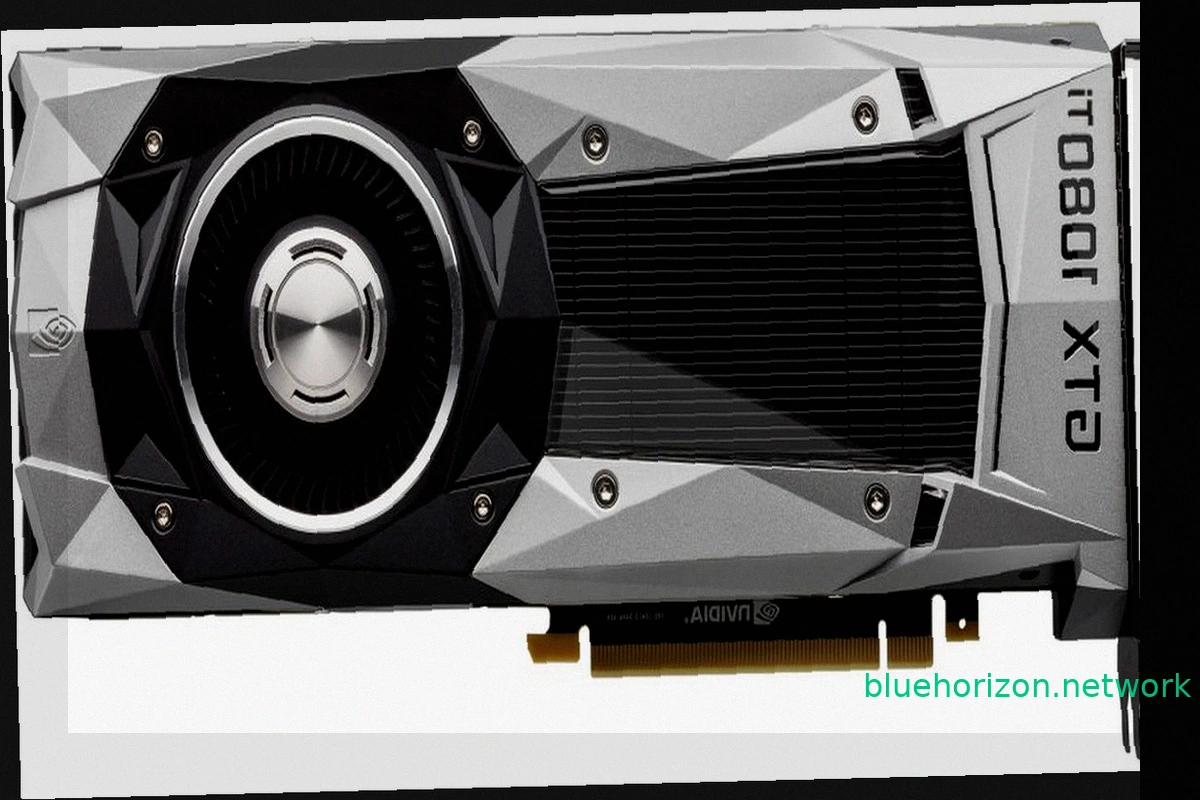
NVIDIA TITAN XP and GTX 1000 Series Achieve Windows XP Compatibility with Unofficial Forceware 382.69 Drivers
While modern PC components like RTX 50 graphics cards, Ryzen X3D CPUs, and high-speed RAM drive up costs, older hardware offers a budget-friendly alternative. A peculiar development now brings a degree of compatibility between older GPUs and Windows XP: the GTX 1000 series, including the TITAN

Google Wins AI Overviews Legal Battle Against Publishers
Google secured a significant court victory in the United States against publishers accusing the company of using their content to power AI Overviews. The core of the lawsuits was that these AI-generated summaries reduce website traffic. Federal Judge Amit P. Mehta of the District Court of Colu

Germany Launches Gaming-Focused Electricity Tariff with Consumption Rewards
German energy provider SWK Energie has introduced an unusual market segment for electricity: gamers. The company is promoting "meinGAMING," an electricity tariff designed for households with high energy consumption, specifically targeting gamers with powerful computers, streamers, and users wit

RuneScape 4 Announced: A New MMORPG Built on Unreal Engine
Jagex revealed RuneScape 4 (RS4) at RuneFest 2026. This new MMORPG, currently a working title, will be the fourth generation in the RuneScape franchise. The significant technological shift for this installment is its development on the Unreal Engine. While the specific version isn't confirmed, it
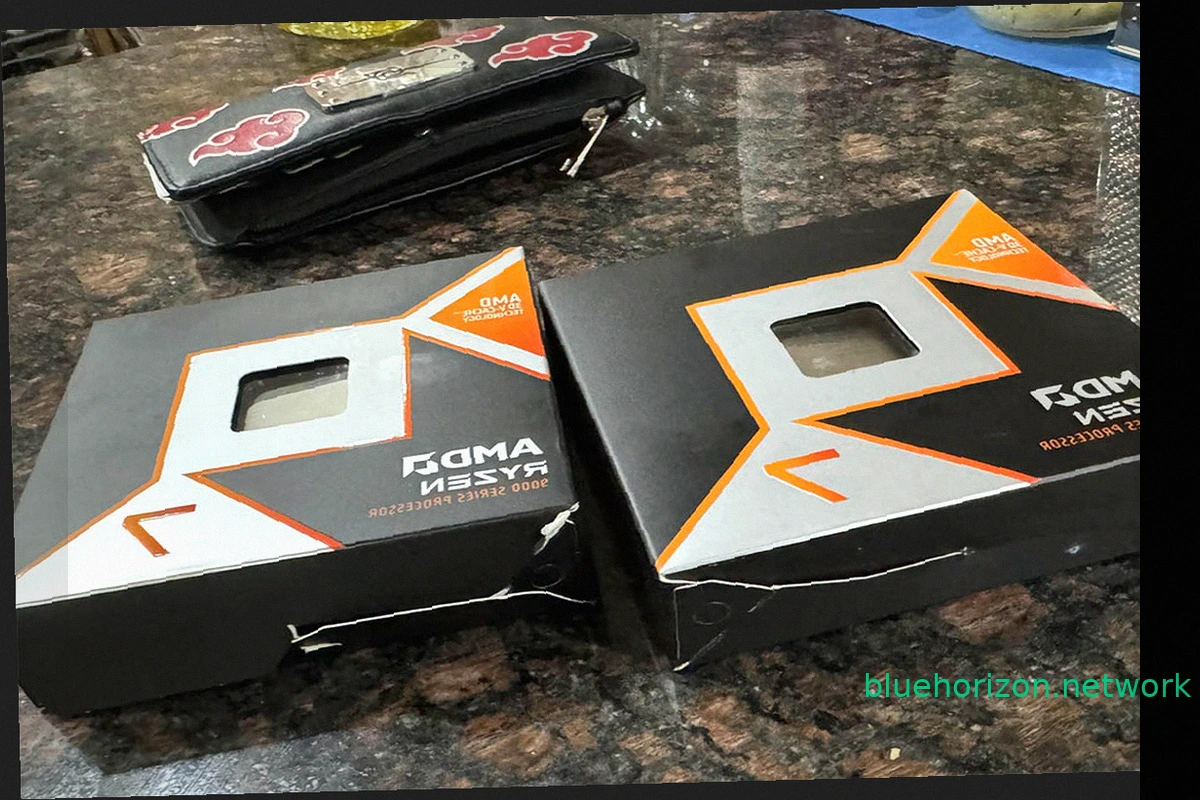
Ryzen 9850X3D Order Mix-Up: User Receives Intel Core i3-3220s Instead
AMD's gaming dominance, solidified by the Ryzen 7 7800X3D and its successor the 9800X3D, left Intel without comparable options. The subsequent release of the slightly faster Ryzen 9850X3D further cemented this lead. These processors are highly sought after by gamers. However, a recent Amazon o