RAM Consumption: Chrome vs. Brave vs. Firefox - Which Browser is Most Efficient?
With the high demand for memory from AI data centers and businesses, RAM prices are continuously increasing, making it difficult for many people to afford new modules or upgrade their existing memory. We are in a challenging time, and naturally, everyone is looking to minimize RAM consumption to have sufficient resources for programs or video games. Something as basic as a web browser might not seem significant, but it can have a considerable impact on RAM usage, as we will see in this comparison between Google Chrome, Mozilla Firefox, and Brave.
When it comes to choosing a web browser, most people have a clear favorite: Google Chrome. It's the current top choice and has been for years since its release. Backed by Google, it's hard to resist its offering. Furthermore, it's fast, although it must be acknowledged that for a long time, it was criticized for its high RAM consumption.
RAM Consumption Comparison: Chrome vs. Brave vs. Firefox - The Results Will Surprise You
Besides Google Chrome, among the most used browsers is Mozilla Firefox, which plays on a different field as it doesn't use Chromium like most other browsers. The third and final browser in our RAM consumption comparison will be Brave, one of the most valued if you prioritize security and privacy. The tests involved comparing Brave, Chrome, and Firefox with the same 25 open tabs, and the results are intriguing, divided into two parts.
In the first part, we see Brave significantly outperforming Chrome and Firefox, consuming only 4.5 GB. In contrast, Chrome consumes approximately 8.2 GB, and Firefox reaches an overwhelming 10.2 GB. Thus, Brave consumed less than half of what Firefox did. Regarding virtual memory load, a similar pattern emerges: Brave uses up to 8.7 GB, Chrome reaches 10.4 GB, and Firefox hits 13 GB.
Websites with Videos and Heavy WebGL Usage Consume the Most RAM
This test reveals an unexpected truth: Firefox is the browser that consumes the most memory. Multiple tests were conducted, and the results were verified as genuine, not fabricated. Following this, another test was initiated to determine what caused such high memory consumption. It was discovered that the tabs with websites containing videos, those using WebGL, Google Docs, and Sheets, were the primary culprits.
Another detail worth mentioning is that Brave consumes much less RAM than Chrome, even though both use Chromium as their engine. The conclusion here is that this is thanks to Brave's built-in ad blocker, tracker blocker, and other features that eliminate advertising and content, thereby reducing RAM consumption.
Finally, it's important to note that RAM consumption is particularly crucial if your PC has limited resources. For example, with 8 GB of RAM, the difference in usage between browsers will be very noticeable. However, if you have 32 or 64 GB of RAM, you won't experience significant performance changes or PC usage impacts unless you fill that memory with other programs and games.
Fresh materials — Technology News

GTA VI: PlayStation 5 Firmware Update May Force Jailbreak Loss
Grand Theft Auto VI (GTA VI) is poised to create a dilemma for PlayStation 5 owners who wish to maintain their consoles with jailbreak-compatible firmware. According to data surfaced from the PlayStation Store backend by PlayStation Game Size, GTA VI will mandate at least PS5 firmware version
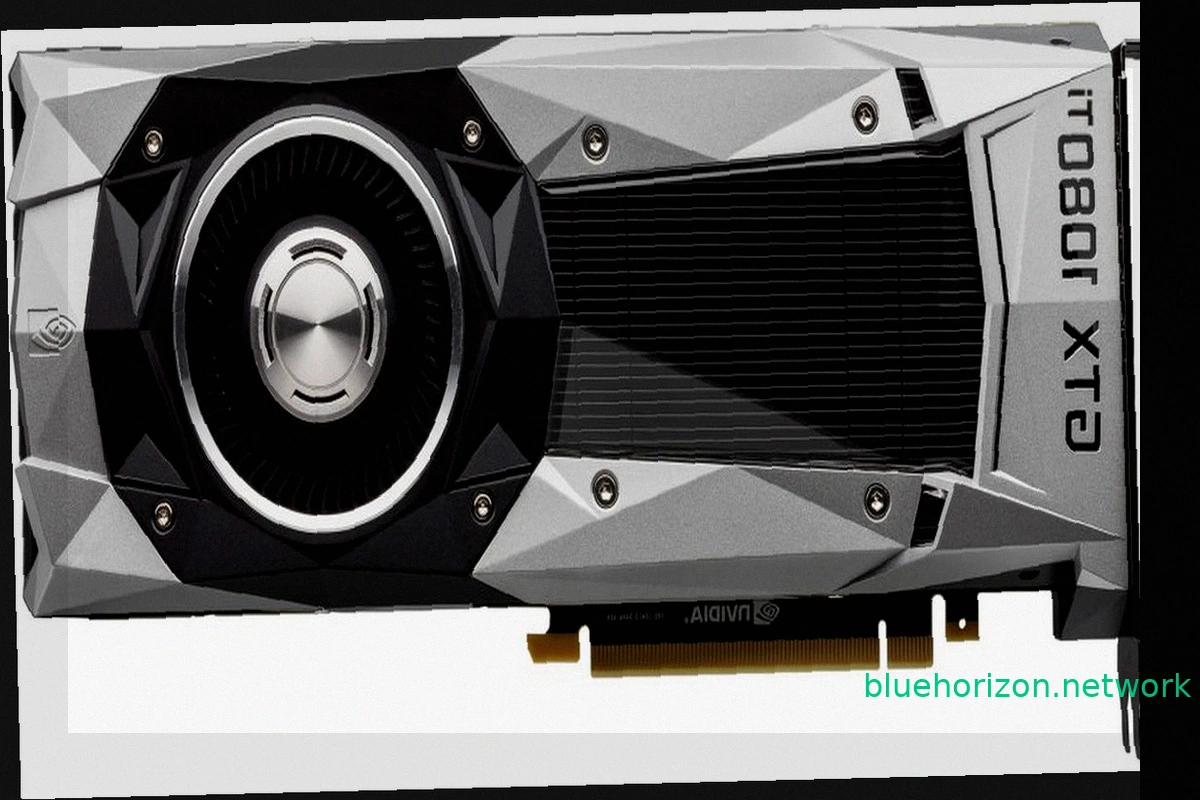
NVIDIA TITAN XP and GTX 1000 Series Achieve Windows XP Compatibility with Unofficial Forceware 382.69 Drivers
While modern PC components like RTX 50 graphics cards, Ryzen X3D CPUs, and high-speed RAM drive up costs, older hardware offers a budget-friendly alternative. A peculiar development now brings a degree of compatibility between older GPUs and Windows XP: the GTX 1000 series, including the TITAN

Google Wins AI Overviews Legal Battle Against Publishers
Google secured a significant court victory in the United States against publishers accusing the company of using their content to power AI Overviews. The core of the lawsuits was that these AI-generated summaries reduce website traffic. Federal Judge Amit P. Mehta of the District Court of Colu

Germany Launches Gaming-Focused Electricity Tariff with Consumption Rewards
German energy provider SWK Energie has introduced an unusual market segment for electricity: gamers. The company is promoting "meinGAMING," an electricity tariff designed for households with high energy consumption, specifically targeting gamers with powerful computers, streamers, and users wit

RuneScape 4 Announced: A New MMORPG Built on Unreal Engine
Jagex revealed RuneScape 4 (RS4) at RuneFest 2026. This new MMORPG, currently a working title, will be the fourth generation in the RuneScape franchise. The significant technological shift for this installment is its development on the Unreal Engine. While the specific version isn't confirmed, it
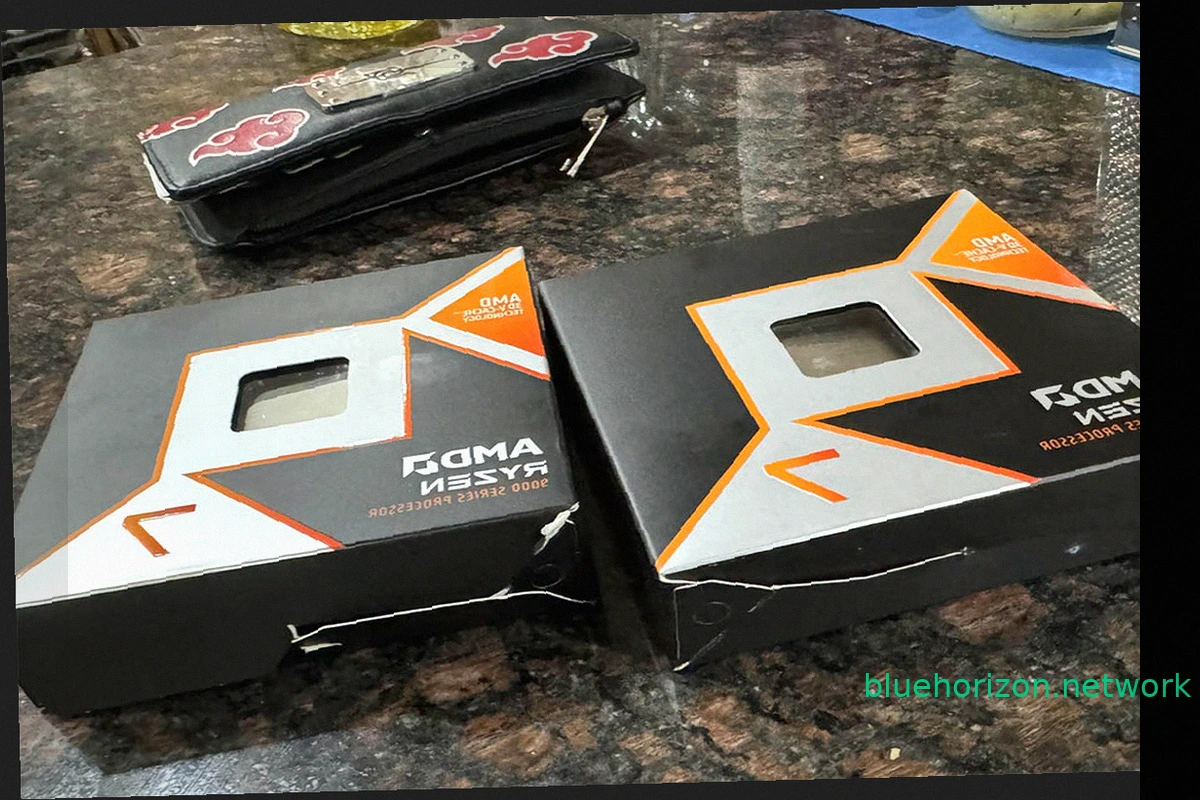
Ryzen 9850X3D Order Mix-Up: User Receives Intel Core i3-3220s Instead
AMD's gaming dominance, solidified by the Ryzen 7 7800X3D and its successor the 9800X3D, left Intel without comparable options. The subsequent release of the slightly faster Ryzen 9850X3D further cemented this lead. These processors are highly sought after by gamers. However, a recent Amazon o