
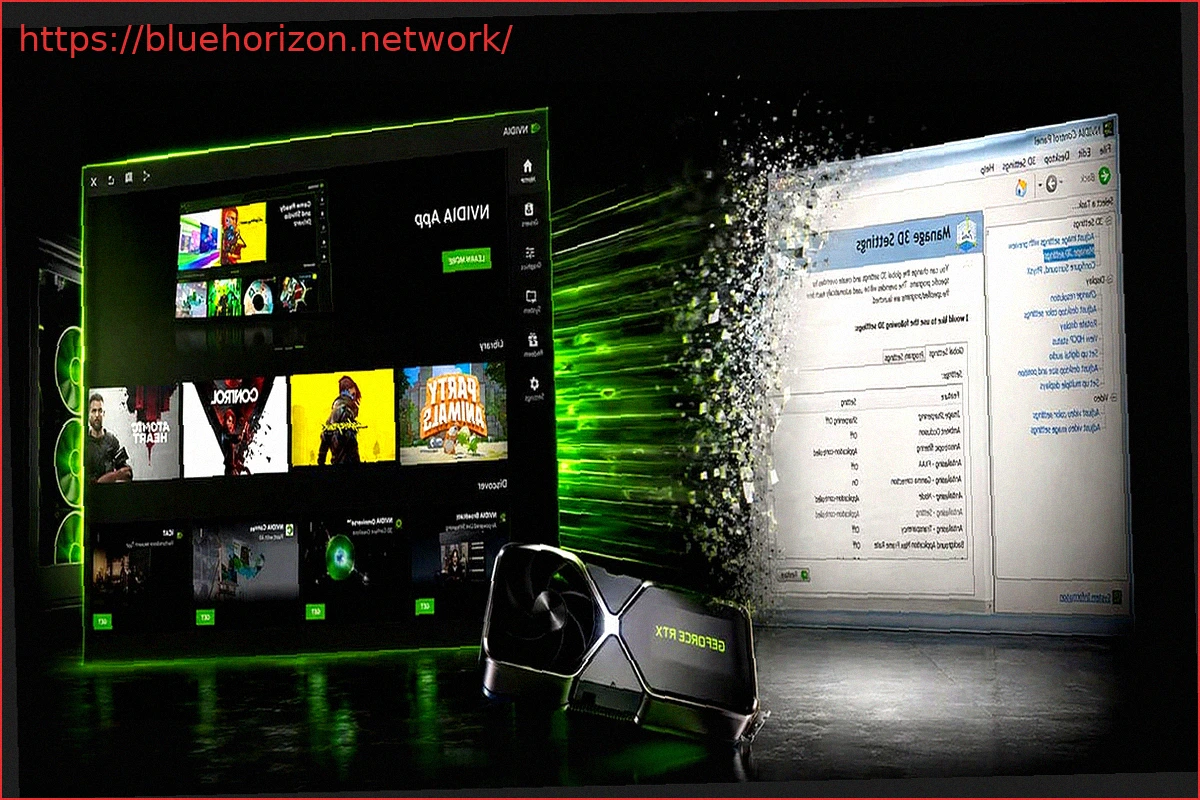
NVIDIA has officially marked the end of an era for one of the most familiar tools for GeForce users on Windows: the classic NVIDIA Control Panel is being retired for Game Ready and Studio drivers. While it won’t disappear immediately from all PCs, it will no longer be the active control center for GeForce GPUs. The company states that all supported Control Panel functions for GeForce users have been modernized and transferred to the NVIDIA App.
This move signifies the completion of a transition NVIDIA has been preparing for some time. NVIDIA App was initially introduced as a replacement for GeForce Experience, but it also served as a platform to gradually absorb parts of the old NVIDIA Control Panel. NVIDIA officially launched the app out of beta in November 2024, incorporating features like game settings, display configuration, G-SYNC, video capture, RTX filters, and system monitoring. A significant advantage is that users do not need to log in to access basic functions.
The key difference now is the shift from “we are migrating features” to “the migration of supported GeForce features is now complete.” According to NVIDIA, the Graphics > Program Settings section in the NVIDIA App replaces the old 3D Settings > Manage 3D Settings within the Control Panel. Other options, including those related to displays, are consolidated under the System tab. Furthermore, the app centralizes modern functionalities such as driver downloads, DLSS overrides, system monitoring via Alt+R, recording and capturing with Alt+Z, access to other NVIDIA applications, and GeForce rewards.
This does not mean the Control Panel will be automatically uninstalled. NVIDIA clarifies that existing installations will remain on systems unless the user performs a clean driver installation. Those who still require the Control Panel can continue to download it from the Microsoft Store. However, it will no longer receive new features, fixes, or changes for GeForce users within Game Ready and Studio drivers.
A crucial distinction is for professional users. The retirement affects Game Ready and Studio drivers but does not yet impact NVIDIA RTX PRO users. For them, the Control Panel will continue to receive support until NVIDIA completes the migration of professional features to the NVIDIA App. In essence, the retirement currently focuses on the GeForce ecosystem, while professional workstations are undergoing a more gradual transition.
This announcement coincides with the release of the GeForce Game Ready 610.47 WHQL driver. These drivers offer optimizations for the upcoming game 007 First Light, launching on May 27, 2026, and featuring NVIDIA DLSS 4.5. The driver also adds support for LEGO Batman: Legacy of the Dark Knight, EA SPORTS F1 25: 2026 Season Pack, World of Tanks: HEAT, and over 40 new G-SYNC Compatible monitors.
In practice, NVIDIA is following a path similar to AMD’s consolidation with Radeon Software/Adrenalin years ago: unifying drivers, game profiles, graphics settings, capture, metrics, and display configuration into a single application. For the average user, this should simplify system maintenance, eliminating the need to switch between GeForce Experience, the Control Panel, and separate utilities. For veteran users, however, this change carries symbolic weight: the Control Panel had been the “serious” interface for advanced settings for two decades, encompassing V-Sync, FPS limits, low latency, G-SYNC, scaling, 3D profiles, and multi-monitor configurations.
Realistically, the Control Panel is not being eliminated as an executable overnight but rather as a living product. It will persist as a legacy tool, useful for compatibility or for users who still prefer its classic interface. However, NVIDIA will no longer treat it as the primary platform for adding new capabilities. From now on, software innovations for GeForce will be channeled through the NVIDIA App, especially concerning DLSS, per-game profiles, overlays, capture, drivers, and modern graphics adjustments.