Mozilla has released Firefox 151, an update packed with significant improvements. The most notable enhancement is the upgrade to its integrated VPN. This new version, available on the stable channel since May 19, 2026, brings changes to the new tab page, privacy enhancements, and new features for PDF handling. It also introduces AI controls on mobile and a substantial evolution of the browser’s built-in VPN.
One of the most visible changes is in Firefox Home, the new tab page. Mozilla describes a renewed design that will serve as the foundation for future features, including widgets and improved shortcuts set to arrive between Firefox 151 and 152. New wallpapers and customization options are also available via the pencil icon. While not a complete visual overhaul, it signifies another step in the modernization of the browser’s interface.
Focusing on the Key Update: Firefox 151 Adds a VPN Location Selector
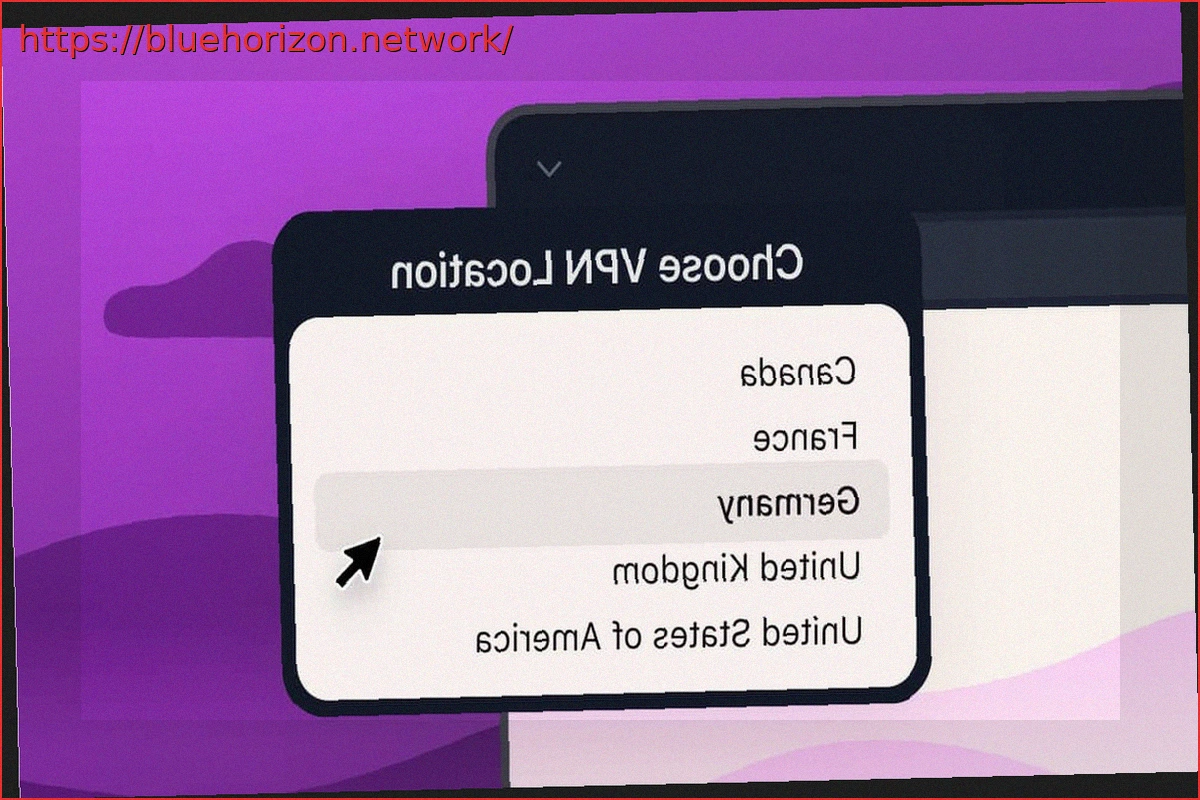
The most striking privacy-related development is the enhancement of the free integrated VPN in Firefox 151. Mozilla had previously introduced this feature as an IP protection within the browser, offering 50 GB of free monthly data to browse through a proxy network that conceals the user’s real IP address. Now, with Firefox 151, a location selector has been added, allowing users to choose the country from which their connection appears. However, this feature is currently limited to users in the United States, United Kingdom, France, Germany, and Canada. These users can select to change their location among the countries where Mozilla has deployed VPN support. This will be crucial in Spain for circumventing La Liga blocks, as a VPN that only allows switching servers within the same country is ineffective for bypassing such restrictions.
It’s important to reiterate that this VPN is not system-wide; it is limited to the web browser. Firefox routes browsing traffic through its proxy network, while other system applications remain unprotected unless they also use the browser. Nevertheless, for the average user looking to hide their IP while browsing, use public Wi-Fi more securely, or access services from a different compatible location, this is a significant improvement.
Firefox 151 also introduces a button to restart a private session without closing the window. In private browsing mode, a flame-shaped button now appears next to the address bar. Clicking it clears the current private session data (cookies, history, logins, and other temporary data) and opens a new, clean private session. This feature is designed for scenarios like purchasing gifts, temporary access, or sessions that users wish to quickly erase without disrupting their workflow.
Further Privacy and PDF Viewer Enhancements
Firefox 151 also strengthens privacy with expanded protection against fingerprinting, even in standard mode. According to the company, this reduces the amount of information websites can use to uniquely identify users. Mozilla reports reducing average identifiability by approximately 14%. macOS users benefit from a reduction of up to 49%. The PDF viewer gains new functionalities, now allowing users to merge multiple PDF documents directly within Firefox, add, reorder, or delete pages without needing external tools. AI controls have also arrived on mobile, enabling users to activate or deactivate features like translation, voice search, or Shake to Summarize, an option that summarizes pages by shaking the device. The latter is now available on Android in English, while on iOS, it functions in multiple languages, including Spanish.
On Linux, Firefox 151 adds local profile backups with the ability to restore them across platforms. On macOS, features like Universal Clipboard, native menus, and color management when copying images have been improved, while on Windows, geolocation better respects operating system permissions.
For developers, this release incorporates support for the Web Serial API, new restrictions on local network access, the Document Picture-in-Picture API, CSS enhancements, and an API for blocking keys in full-screen mode. Additionally, Firefox 151 addresses several security vulnerabilities detailed in advisory MFSA 2026-46, classified by Mozilla as having a high impact.
Translated to English:
Mozilla has released Firefox 151, an update that brings significant improvements, the most notable being enhancements to its integrated VPN. The new version, available on the stable channel since yesterday, May 19, 2026, introduces changes to the new tab page, privacy improvements, and new functions for PDFs. It also adds AI controls on mobile and a major evolution of the VPN integrated into the browser.
One of the most visible changes is in Firefox Home, the new tab page. Mozilla speaks of a renewed design that will serve as the basis for future features, including widgets and improvements to shortcuts that will arrive between Firefox 151 and 152. New wallpapers and customization options have also been added from the pencil icon. It’s not a complete visual revolution, but it seems to be another step in the modernization of the browser’s interface.
Now, on to what matters: Firefox 151 adds a location selector for the VPN
The most striking privacy novelty is the evolution of the free integrated VPN in Firefox 151. Mozilla had already introduced this feature as IP protection within the browser, with 50 GB of free data monthly to navigate through a proxy network that hides the user’s real IP address. Now, with Firefox 151, a location selector has been added, allowing you to choose from which country your connection appears. However, for now, the function is limited to users in the United States, United Kingdom, France, Germany, and Canada. These can choose to change their location among the countries where Mozilla has deployed VPN support. This will be essential in Spain with La Liga’s blocks, as a VPN that only lets you switch to other servers in the same country is of little use for bypassing blocks.
It’s worth remembering again that this VPN is not system-wide; it is limited to the web browser. Firefox routes browsing traffic through its proxy network, while the rest of the system applications remain outside that protection if they don’t use the browser itself. Even so, for an average user looking to hide their IP when browsing, use public Wi-Fi with a bit more security, or consult services from another compatible location, it is a relevant improvement.
Firefox 151 also introduces a button to restart a private session without closing the window. In private browsing mode, a flame-shaped button now appears next to the address bar. When pressed, Firefox deletes the data from the current private session (cookies, history, logins, and other temporary data) and opens a new, clean private session. It’s a function intended for cases like gift shopping, temporary access, or sessions that the user wants to quickly clear without closing their entire workflow.
Privacy and PDF viewer enhancements
Firefox 151 also reinforces privacy with expanded protection against fingerprinting even in standard mode. According to the company, this reduces the amount of information that websites can use to uniquely identify the user. Mozilla states it has managed to reduce average identifiability by around 14%. macOS users benefit from having it reduced by up to 49%. The PDF viewer gains new functions and now allows merging multiple PDF documents directly from Firefox, adding, reordering, or deleting pages without resorting to external tools. AI controls also arrive on mobile, allowing you to activate or deactivate functions like translation, voice search, or Shake to Summarize, the option that summarizes pages by shaking the mobile. The latter is extended to Android in English, while on iOS it already works in several languages, including Spanish.
On Linux, Firefox 151 adds local profile backups, with the ability to restore them between platforms. On macOS, functions like Universal Clipboard, native menus, and color management when copying images are improved, while on Windows, geolocation better respects operating system permissions.
For developers, the version incorporates support for the Web Serial API, new local network access restrictions, the Document Picture-in-Picture API, CSS improvements, and an API for blocking keys in full-screen. Additionally, Firefox 151 fixes several security vulnerabilities detailed in advisory MFSA 2026-46, classified by Mozilla with a high impact.