We’re introducing DriftGuard, a tool designed for diagnosing and calibrating game controllers. It has taken a significant step forward by adding experimental support for calibrating sticks/joysticks on Xbox controllers. This new feature stems from the work of repair specialist Modyfikator89, who claims to have found a method capable of writing calibration data directly to the controller’s internal memory, offering both manual and automatic options. The key difference compared to a simple dead zone in a game is precisely that: the calibration isn’t confined to the PC or console’s software but modifies the values the controller itself uses to interpret its stick positions. Consequently, this allows the controller to eliminate drift problems when connected to any PC, console, or device.
Up until now, DriftGuard has been available on Steam since 2024 as an early-access utility focused on diagnostics, stick visualization, minor drift correction, and calibration after installing Hall Effect or TMR analog modules. However, its Steam page still noted a significant limitation: Xbox controllers and other devices had restricted functions, with button and stick tests available, but no advanced calibration due to hardware constraints. Well, not anymore.
DriftGuard Will Now Allow Calibration of Xbox Controllers
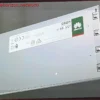
The novelty is that the web version of DriftGuard now displays specific options for Xbox controllers. These include center calibration, range calibration, trigger calibration, and functions to save or restore calibration data. The panel itself also displays a relevant warning: the calibration for Xbox One/Series controllers is permanent, reinforcing that this is not a simple temporary sensitivity adjustment but rather a data write operation directly to the controller.
This can be particularly interesting for repair shops, stores, and users who replace their joysticks. When a damaged module is replaced with a new one, especially if they are Hall Effect or TMR joysticks, the controller may require recalibration so that the center, extents, and travel of the stick match the expected readings. In such a scenario, a tool that allows for low-level controller recalibration can save significant time.
However, this is not a magic solution for all types of drift at the moment. Drift can stem from numerous factors. The most common is linked to physical potentiometer wear or dirt. If the problem is simply that the neutral point has shifted, recalibration can help greatly. If the module is physically worn or generates unstable readings, calibration can compensate for a while, but it doesn’t eliminate the mechanical cause. Microsoft itself warns in its official recalibration tool that not all stick or trigger problems can be resolved with software, including drift caused by normal wear and tear.
Depending on the Issue, Firmware Flashing Might Even Be Necessary
DriftGuard notes that, on some Xbox One X and One S controllers, a conversion might be necessary for the controller to behave like an Xbox Series model, thus enabling Series-type calibration. The process requires specific firmware versions, using Xbox Accessories to update the firmware, and installing WinUSB via Zadig with a stable USB connection. The website itself marks the process as experimental and warns that it is used at the user’s own risk.
Furthermore, DriftGuard includes a firmware flasher for Xbox Series/One controllers. The tool warns that using incorrect images can render the controller unusable. Therefore, while the function is promising, it doesn’t seem advisable for casual users without experience, at least in its current state. For a shop, a modder, or someone accustomed to working with firmwares and drivers, it could be a very powerful tool. However, for any user, it remains more prudent to start with the official Xbox Accessories tool when it is compatible.
In this way, DriftGuard could open a much more flexible avenue for repairing or adjusting Xbox controllers outside the official ecosystem. Microsoft already offers an official recalibration tool, but it is currently limited to the Xbox Wireless Controller and the Xbox Elite Wireless Controller Series 2. DriftGuard, on the other hand, aims for broader support. This includes Xbox 360, Xbox One, Xbox Series controllers, and even third-party models like the SCUF Instinct Pro. This application is also compatible with PlayStation, Nintendo, and third-party controllers.